

Disneyland Paris Virtual Queue: What’s New (and How to Win at It!)
Big character news is bubbling away at Disneyland Paris — and yes, it’s all thanks to the Disneyland Paris Virtual Queue. One minute Stitch is in the app, the next he’s moonwalking back to a regular queue. Mickey? He’s swapping locations like he’s got a secret twin. And don’t even get me started on the princesses, who seem to enjoy keeping us guessing more than any fairytale cliffhanger.
For guests, it’s been a bit of an emotional cocktail: part excitement (no more endless waiting in line!), part frustration (hello panic-tapping at 9:45 a.m.), and maybe just a dash of confusion. But whether you’re cheering or groaning, one thing’s for certain: the rules keep changing.
So, let’s walk through exactly how it works right now. Think of this as your friendly survival guide to character meets — because if there’s one thing I believe, it’s that hugs from Mickey, high-fives from Stitch, and royal waves from the princesses are the very heart of a Disneyland Paris trip. And I want to make sure you get every single one.


So… Which Disneyland Paris Characters Are Playing the Virtual Queue Game?
The line-up keeps shifting like it’s on Strictly Come Dancing, but as of right now here’s who you’ll need the Disneyland Paris Virtual Queue for:
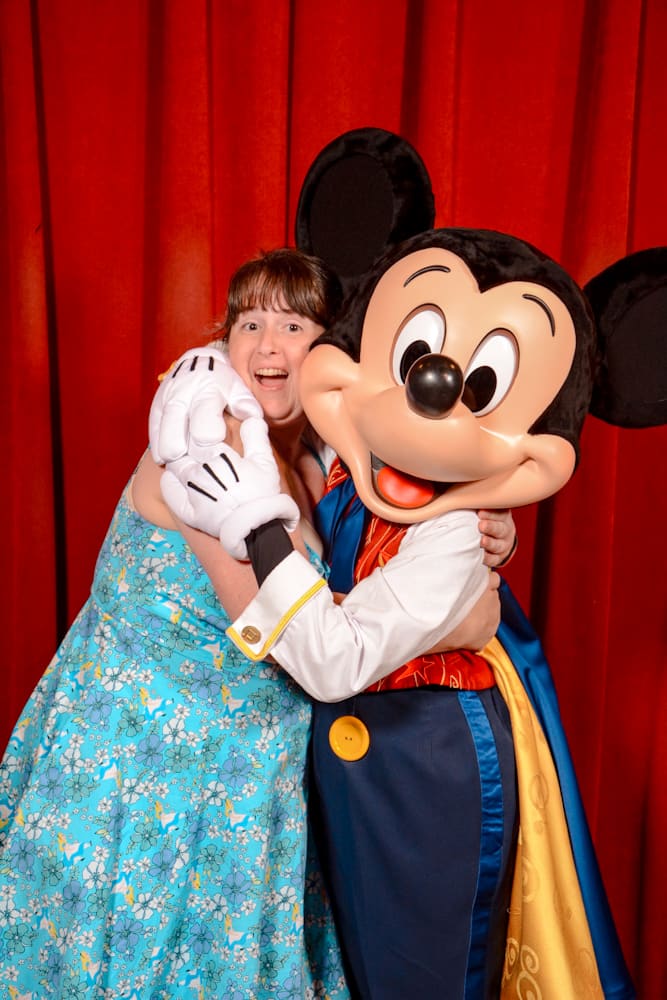
- Phantom Manor Mickey – looking spooky and dashing in his exclusive Paris outfit.
- Starport (Discoveryland) – usually Darth Vader, ready to glare at you menacingly.
- Princess Pavilion (Fantasyland) – your royal route to meet a Disney princess.
- Elsa and Anna (Disney Adventure World) – meet them inside their own castle.
👉 Who’s stepped out of the app?
- Stitch – now greeting fans in a traditional queue near Casey’s Corner on Main Street, U.S.A.
- Studio D Mickey (in his classic tuxedo) – meeting in Walt Disney Studios Park with good old-fashioned posted times.
So yes, some characters are still hiding behind your phone screen, while others are happily back to ‘see it, queue it, meet it.’ It’s a bit of a juggling act, but once you know who’s where, it gets much easier.

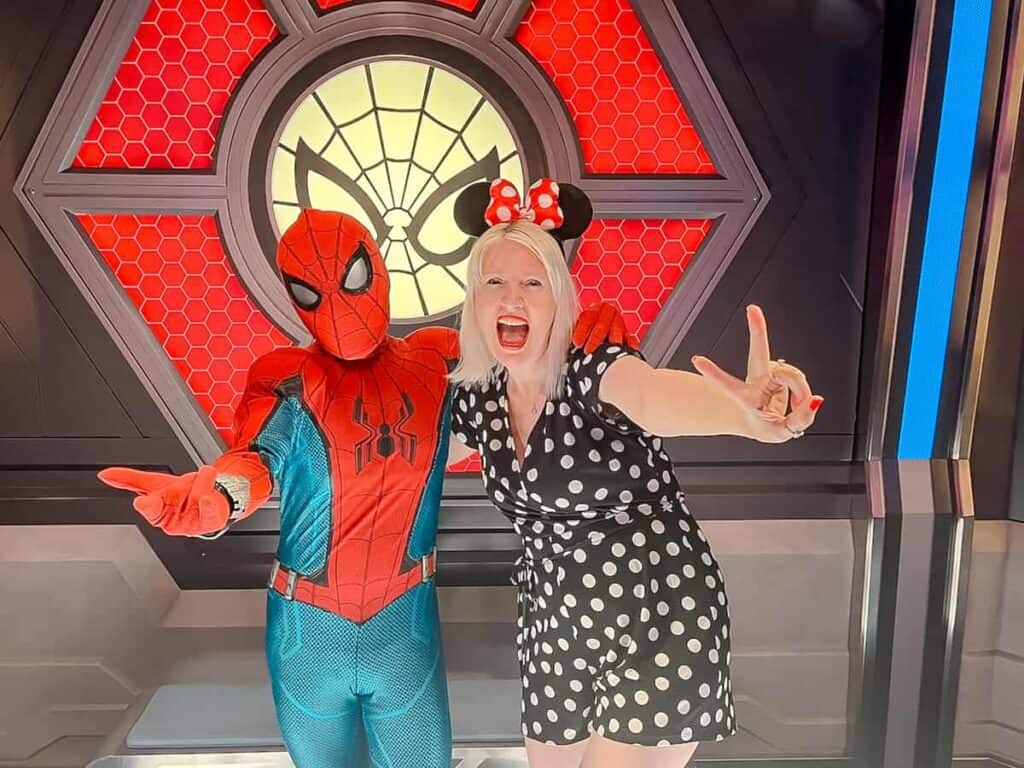
🤓 TRIVIA FOR DISNEY FANS: This isn’t the first time a Disneyland Paris virtual queue has been used for characters. Over in Avengers Campus, character meets at the Hero Training Center have always used a virtual queue system. That’s where you can choose to book either Spider-Man or a random Avenger (such as Iron Man, Black Widow, or Capt America). So if you’ve used that system before, the new one will feel pretty familiar!

📌 Key Rules You Need to Know
The Disneyland Paris Virtual Queue isn’t complicated once you get the hang of it — but there are some golden rules you’ll want to know before you dive in:
- One at a time, please! You can’t hold multiple character reservations at once. Meet Mickey first, then try your luck with Darth Vader. No double-dipping.
- Maximum of 5 per day. Official rule, but honestly, that’s still a heroic effort — even I’d need a celebratory crêpe after bagging more than two.
- Up to 6 guests per booking. Handy for smaller families, but if you’re a group of 7 or more, you’ll need to split up (or charm a kind Cast Member into helping you at City Hall).
- Under 3s don’t count. Little ones get a free pass here — they don’t need to be included in the booking.
- Book in-app (or at City Hall). A smartphone is easiest, but if that’s tricky, Cast Members at City Hall can help get you sorted with a physical card that can link up to the app through some kind of wizardry.
- Priority/Easy Access Cards. For Virtual Queue characters, you’ll still need to book in the app like everyone else. For standby meets (like Stitch), your card works as usual — just get there early, as priority return slots vanish quickly!
⏰ What About Extra Magic Time (a.k.a. The Early Bird Hour
If you’re picturing yourself skipping through an empty park at 8:30 a.m. and walking straight into Olaf’s frosty hug… I’m afraid not. Virtual Queue characters like Mickey (in his Phantom Manor finery),, the Princess Pavilion, and Starport don’t appear during Extra Magic Time. Their booking slots only unlock at 9:45 a.m. and again at 2:00 p.m.
But! Don’t despair, early risers. Extra Magic Time is still a great chance to:
- Ride big-ticket attractions before the queues build up 🎢
- Spot roaming characters who occasionally pop out for surprise appearances 👋
- Head straight to a standby meet like Stitch and beat the bulk of the line 🌀
✨ GOOD TO KNOW: Think of Extra Magic Time as your bonus round — not for the Virtual Queue game, but for squeezing in a ride or little extra pixie-dust before the crowds arrive.
📍 Related Post: How to Maximise Extra Magic Time


⁉️ When Do Virtual Queues Open (and How Do You Actually Nab One)?
Think of this like trying to snag Glastonbury tickets, but instead of camping in mud you’re rewarded with a hug from Mickey. The Disneyland Paris Virtual Queue opens at two very specific times every day: 9:45 a.m. and 2:00 p.m.
I tried out the Virtual Queue system and here’s what I learned works best:


- Be inside the park. You can’t book anything until your ticket has been scanned at the gates (doesn’t matter which park).
- Set an alarm. Trust me, you don’t want to be halfway through the 4th chorus on Small World when the 9:45 drop happens.
- Open the app early. I go into this in more detail below, but basically hover on the ‘Book Experience’ screen a minute before. (Yes, you’ll feel slightly sweaty and ridiculous, but it works.)
- Tap like a champion. In the final 5 seconds, flip back and forth between screens until the button goes live. Then pounce!
- Choose wisely. Remember, you can only hold one booking at a time. For example, Princess now, Olaf later.
✨ GOOD TO KNOW: Some guests swear that mobile data is faster than Disney Wi-Fi. My tip? Test your signal as soon as you arrive and stick with whichever one is stronger.
💥 SECRET BONUS TIP: Standing by Videopolis often gives the strongest app signal — almost like Fantasia Mickey is using his magic to boost your phone.
⭐ How to Use the Disneyland Paris App to Book Your Character Meet⭐
Here’s the bit where your phone becomes your Fairy Godmother. Just before the booking time (remember: 9:45 a.m. or 2:00 p.m.), open the Disneyland Paris app and:
- Once in the Disneyland Paris app, scroll down to ‘DISCOVER THE PARKS.’
- Swipe left and tap ‘Characters.’
- Pick your park (Disneyland Park or Disney Adventure World).
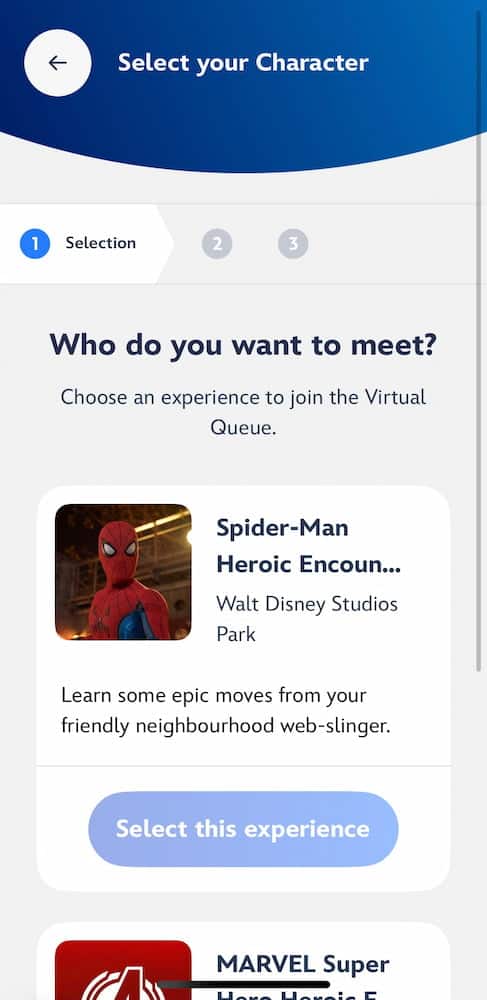
- Choose your star. Tap on who you want to meet (see pics below).
Once you’ve locked in a booking, the app will give you a countdown timer. When it hits zero, off you go to the meet & greet — you’ll have a short grace period (about 5–10 minutes) to arrive.
⚠️ Don’t book one if you’re about to join a 90-minute Crush’s Coaster queue. Nothing stings quite like missing your Princess hug because you were deep in the abyss of Pixar World.
✏️ PRO TIP: The countdown timer is a bit cheeky. It might say 20 minutes left, then suddenly boop — you’re down to 5. And even when it hits zero, you’ll usually wait a short while at the location (think 20–30 minutes) — but that’s still a far cry from the epic standby lines of the past.

What Do I Need to Do Before My Trip?
Think of this as your virtual queue pre-flight checklist — because nothing ruins the magic faster than fumbling with apps and tickets while everyone else is shuffling along in a queue.
- 📱 Download the Disneyland Paris app before you go (don’t wait until you’re on park Wi-Fi — it’s slower than a snail on Main Street).
- 🎟️ Link everyone’s tickets under one account.
- ⏰ Timing matters. If you’ve booked a Disney hotel package directly, tickets are automatically linked 7 days before. Booked via my fave ticket retailer Attraction Tickets? Your tickets can be linked in the DLP app straight away after purchasing! Tickets and hotel packages from other 3rd parties, you might need to contact your ticketing agent if you are having problems linking in the app 7 days before your trip.
- ✅ Tick everyone in your party. Up to 6 guests can be on one booking, and under 3s don’t count (finally, something easy about travelling with toddlers!).
✨ GOOD TO KNOW: Do this before you arrive. Trying to sort it all in the park with patchy Wi-Fi and excitable kids is about as fun as doing a tax return. Future-you will thank present-you.
The Good, The Bad, and The Awkward of the Disneyland Paris Virtual Queue
🌟 The Good
- No more endless two-hour waits indoors (your legs will thank you).
- Perfect for kids who’d rather skip the ‘winding up their sibling’ part of queuing.
- You’ll know in seconds if you’ve secured that princess slot — no heartbreaking ‘sorry kids, it’s too late’ moments.
- Far easier for guests who struggle with long, noisy queues.
🙃 The Bad
- You can only hold one booking at a time — so no hoarding a Princess and Mickey. Because everyone has a favourite kid, right? 😩
- Reliable Wi-Fi or data is a must, and the park isn’t always kind with either.
- Tech-phobic guests may find it confusing (my father-in-law would be traumatised by an attempt).
- Slots vanish fast — miss the 9:45 or 2:00 p.m. window and you might be out of luck.
🤷 The Awkward
- Big groups (7+) need to split across multiple bookings and your times might not line up.
- There’s no physical standby queue as a safety net. Miss your slot and… poof.
- Even when you win, you’ll still queue a little — usually 20–30 minutes.
✨👱🏻♀️ MY TAKE: Think of it less like a miracle cure and more like a FastPass for hugs. It’s brilliant when it works, a bit stressful when it doesn’t — but either way, it’s better than missing out completely. Whatever you do, make NO promises to your kids before you go.
🎢 A Quick Personal Story
If you’re thinking this all sounds a bit… stressful, you’re not wrong! I’ve had my fair share of the Disneyland Paris Virtual Queue drama.
Take Stitch, for example. Back when he was in his Elvis outfit at the Disney Music Festival, it took me several failed attempts (and more than one mild panic attack at 1:58 p.m.) before I finally cracked the code. A Cast Member later told me Stitch slots usually vanish within 20 seconds — no wonder it felt like trying to win Taylor Swift tickets!
And was he worth it? Absolutely. 💙✨
Moral of the story: even with the app, things don’t always run smoothly. Plan some buffer time, keep your phone charged, and roll with it. The payoff is worth the chaos.
Final Thoughts
The Disneyland Paris Virtual Queue has definitely stirred the pot — some guests swear it’s the best thing since Mickey-shaped beignets, while others find it more stressful than fun. Personally, I see it as a bit of both: brilliant when it works, baffling when it doesn’t.
But here’s the good news: this system only applies to a handful of big-name meets. There are still plenty of ways to bump into characters the ‘old-fashioned’ way. Minnie might be twirling her parasol by Cowboy Cookout, Alice could be hosting a spontaneous tea party in Fantasyland, or Daisy might just strut out looking fabulous. No app required.
So yes, the rules keep changing — but if you go in prepared (and maybe a little flexible), you’ll still come away with those all-important hugs, waves, and selfies. And honestly? For me, that’s the very best part of Disneyland Paris.
Stay Informed!
💡 I’ll be keeping a close eye and reporting on how it all works, so make sure you sign up for my newsletter for real-time updates as it rolls out.
✨ Read Next… ✨
Grab more Character Tips